
Custom dashboards and Google reporting tools
What does this article explain?
Compare custom dashboards and Google's reporting tools through data sources, refresh needs, permissions and interactive workflows. Define the decision each report supports.
The "Drowning in Data" Problem
Every modern business collects data. The problem in 2026 isn't getting data; it's understanding it. Many companies turn to free or accessible tools like Google Data Studio (now Looker Studio) to build their reports. It starts well, but soon, executives find themselves staring at generic bar charts that don't actually tell them what to do next.
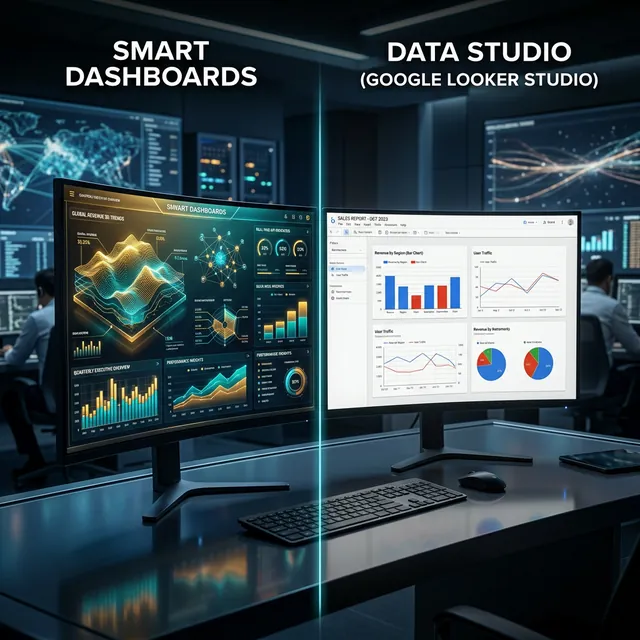
At Smart Team, we build Smart Dashboards because we believe business intelligence should be intelligent, not just a visual dump of spreadsheet rows. Here is how specialized dashboards compare to generic BI tools.
Generic vs. Custom-Built Intelligence
| Feature | Smart Dashboards | Google Data Studio (Looker) |
|---|---|---|
| Data Sources | Deep integration with local ERPs/POS | Great for Google Ads/Analytics |
| Real-time Speed | Instant / Direct Query | Often delayed / Cached |
| Custom Actions | Click a chart to trigger a business workflow | View-only interface |
| Security/Privacy | Hosted on your local/private servers | Data managed by Google |
| User Experience | C-Level narrative focused | Analyst-focused tool |
1. Connecting to the "Ugly" Data
Data Studio is brilliant if all your data lives in Google Analytics or simple cloud sheets. But what if your most critical data is locked inside a 15-year-old local accounting software, a custom HR system, and three different regional payment gateways? Smart Dashboards are engineered to dig into these complex, "ugly" local databases and pull them into a unified, beautiful interface without breaking a sweat.
2. From "Viewing" to "Acting"
A standard dashboard shows you that inventory is low. A Smart Dashboard shows you that inventory is low and includes a secure button right next to the chart to automatically generate a purchase order in your ERP. We bridge the gap between analytics and operations.
3. Data Sovereignty
For many regional enterprises, government regulations strictly control where data can be stored. Sending your sensitive financial or customer data to global cloud BI tools might violate compliance. Smart Dashboards can be deployed entirely on-premise or on local cloud servers, ensuring 100% data sovereignty and security.
The Executive Choice
If you are a marketing agency needing to send monthly traffic reports to clients, Google Data Studio is perfect.
But if you are a CEO, Operations Manager, or CFO who needs a secure, real-time command center that connects your specific regional tools and helps you make immediate financial decisions, Smart Dashboards will change the way you run your business.