
Building AI agents with LangChain: tools and evaluation
What does this article explain?
LangChain combines models, tools and middleware for AI agents. Learn how to define a task, constrain access, test results and prepare a deployment.
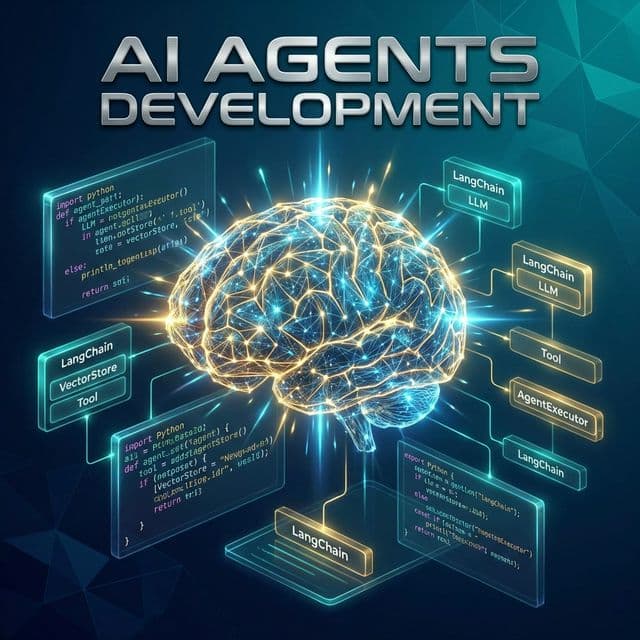
Introduction to AI Agents
AI agents represent one of the most significant breakthroughs in artificial intelligence technology, transforming how businesses automate complex processes and deliver intelligent solutions. Unlike traditional software programs that follow predetermined rules, AI agents are autonomous systems capable of perceiving their environment, making decisions, and taking actions to achieve specific goals with minimal human intervention. These intelligent agents leverage large language models (LLMs) as their reasoning engine, enabling them to understand natural language, plan multi-step tasks, and adapt to changing circumstances in real-time.
The rise of AI agents has been fueled by the rapid advancement of large language models like GPT-4, Claude, and Llama, which provide the cognitive foundation for these systems. LangChain, an open-source framework, has emerged as the de facto standard for building AI agents, offering developers a comprehensive toolkit for creating, deploying, and managing agent-based applications. The framework provides pre-built components, integrations with major LLM providers, and a modular architecture that simplifies the development process while maintaining flexibility for customization.
Why AI Agents Matter in 2026
The business landscape in 2026 demands automation solutions that go beyond simple rule-based systems. Organizations face increasingly complex challenges that require adaptive, intelligent automation capable of handling ambiguity, learning from interactions, and collaborating with human workers. AI agents address these needs by combining the reasoning capabilities of large language models with practical tools and integrations that enable real-world action. According to recent industry reports, the AI agent market is projected to grow at a compound annual growth rate of over 40% through 2030, driven by adoption across customer service, software development, research, and operations management.
Understanding LangChain Architecture
LangChain provides a comprehensive framework designed specifically for building applications powered by language models. The architecture follows a modular design philosophy, allowing developers to assemble components like building blocks to create sophisticated AI systems. At its core, LangChain abstracts away the complexity of working directly with LLM APIs while providing the flexibility needed for advanced use cases. Understanding the key components of LangChain is essential for building effective AI agents.
Core Components
The framework consists of several interconnected components that work together to create intelligent agent systems. Each component serves a specific purpose and can be customized or extended based on application requirements:
| Component | Description | Use Case |
|---|---|---|
| Models | LLM and embedding model interfaces | GPT-4, Claude, Llama integration |
| Prompts | Template management and optimization | System prompts, few-shot examples |
| Memory | Conversation and context persistence | Chat history, user preferences |
| Indexes | Document retrieval and vector stores | RAG, knowledge base search |
| Chains | Sequence of operations | Multi-step workflows |
| Agents | Dynamic decision-making | Tool selection, task planning |
The Agent Loop
AI agents in LangChain operate through a continuous loop of perception, reasoning, and action. This loop, often referred to as the "Reasoning and Acting" (ReAct) pattern, enables agents to break down complex tasks into manageable steps, execute actions using available tools, and incorporate feedback to refine their approach. The agent loop begins with the agent receiving a user query or task, followed by the agent analyzing the request and determining which tools or actions are needed. The agent then executes the selected actions, observes the results, and iterates until the task is complete or the agent determines it needs additional information.
Step 1: Setting Up Your Environment
Before building AI agents, you need to set up a proper development environment with all necessary dependencies. This section guides you through the installation process and configuration steps required to start building with LangChain.
Installation Requirements
First, ensure you have Python 3.10 or higher installed on your system. LangChain supports both Python and JavaScript, but Python remains the primary language for agent development due to its extensive ecosystem and ML tooling. Create a virtual environment to isolate your project dependencies:
# Create virtual environment
python -m venv langchain-env

# Activate on macOS/Linux
source langchain-env/bin/activate

# Activate on Windows
langchain-env\Scripts\activate

# Install LangChain and dependencies
pip install langchain langchain-openai langchain-community
pip install python-dotenv tiktoken chromadb
Environment Configuration
Store your API keys and configuration securely using environment variables. Create a .env file in your project root:
# .env file
OPENAI_API_KEY=your_openai_api_key_here
ANTHROPIC_API_KEY=your_anthropic_api_key_here
LANGCHAIN_TRACING_V2=true
LANGCHAIN_API_KEY=your_langsmith_key_here
# config.py
import os
from dotenv import load_dotenv

load_dotenv()

OPENAI_API_KEY = os.getenv("OPENAI_API_KEY")
ANTHROPIC_API_KEY = os.getenv("ANTHROPIC_API_KEY")
Step 2: Building Your First Agent
Now that your environment is configured, let's build a simple AI agent that can answer questions and perform basic tasks. We'll start with a conversational agent that uses OpenAI's GPT-4 model as its foundation.
Basic Agent Implementation
from langchain_openai import ChatOpenAI
from langchain.agents import AgentExecutor, create_tool_calling_agent
from langchain_core.prompts import ChatPromptTemplate
from langchain_core.tools import tool

# Initialize the language model
llm = ChatOpenAI(
    model="gpt-4-turbo-preview",
    temperature=0.7
)

# Define custom tools
@tool
def get_current_weather(location: str) -> str:
    """Get the current weather for a location."""
    # In production, integrate with a real weather API
    return f"The weather in {location} is sunny with 22°C"

@tool
def calculate(expression: str) -> str:
    """Evaluate a mathematical expression."""
    try:
        result = eval(expression)
        return f"Result: {result}"
    except Exception as e:
        return f"Error: {str(e)}"

# Create tools list
tools = [get_current_weather, calculate]

# Create prompt template
prompt = ChatPromptTemplate.from_messages([
    ("system", "You are a helpful AI assistant with access to tools."),
    ("human", "{input}"),
    ("placeholder", "{agent_scratchpad}")
])

# Create the agent
agent = create_tool_calling_agent(llm, tools, prompt)

# Create agent executor
agent_executor = AgentExecutor(
    agent=agent,
    tools=tools,
    verbose=True,
    max_iterations=10
)

# Run the agent
result = agent_executor.invoke({
    "input": "What's the weather in Dubai and what's 15 * 7?"
})

print(result["output"])
Understanding the Code
The example above demonstrates the fundamental components of a LangChain agent. The @tool decorator converts Python functions into tools that the agent can use. The prompt template defines how the agent interacts with users and tools. The AgentExecutor manages the execution loop, handling tool calls and maintaining conversation state. The verbose=True parameter enables detailed logging, which is invaluable during development and debugging.
Step 3: Adding Memory and Context
Real-world AI agents need to maintain context across multiple interactions. LangChain provides several memory components that enable agents to remember previous conversations, user preferences, and task history. Adding memory transforms a stateless agent into a conversational partner capable of coherent, context-aware interactions.
Conversation Memory
from langchain.memory import ConversationBufferMemory
from langchain.agents import AgentExecutor, create_tool_calling_agent

# Create memory component
memory = ConversationBufferMemory(
    memory_key="chat_history",
    return_messages=True
)

# Update prompt to include memory
prompt = ChatPromptTemplate.from_messages([
    ("system", "You are a helpful AI assistant."),
    ("placeholder", "{chat_history}"),
    ("human", "{input}"),
    ("placeholder", "{agent_scratchpad}")
])

# Create agent with memory
agent = create_tool_calling_agent(llm, tools, prompt)

agent_executor = AgentExecutor(
    agent=agent,
    tools=tools,
    memory=memory,
    verbose=True
)
Persistent Memory with Vector Stores
For agents that need to recall information across sessions, vector stores provide a scalable solution for persistent memory. This approach is particularly useful for building agents that learn from user interactions over time:
from langchain_community.vectorstores import Chroma
from langchain_openai import OpenAIEmbeddings
from langchain.memory import VectorStoreRetrieverMemory

# Create vector store
embeddings = OpenAIEmbeddings()
vectorstore = Chroma(
    embedding_function=embeddings,
    persist_directory="./chroma_db"
)

# Create retriever memory
retriever = vectorstore.as_retriever(
    search_kwargs={"k": 5}
)

memory = VectorStoreRetrieverMemory(
    retriever=retriever
)
Step 4: Building a RAG-Powered Agent
Retrieval-Augmented Generation (RAG) is a powerful technique that combines the reasoning capabilities of LLMs with the knowledge retrieval capabilities of vector databases. RAG-powered agents can access and reason over large document collections, making them ideal for knowledge-intensive applications like customer support, research assistance, and documentation search.
Document Processing Pipeline
from langchain_community.document_loaders import PyPDFLoader, WebBaseLoader
from langchain_text_splitters import RecursiveCharacterTextSplitter
from langchain_openai import OpenAIEmbeddings
from langchain_community.vectorstores import Chroma

# Load documents
pdf_loader = PyPDFLoader("documents/guide.pdf")
web_loader = WebBaseLoader("https://example.com/docs")

documents = pdf_loader.load() + web_loader.load()

# Split documents into chunks
text_splitter = RecursiveCharacterTextSplitter(
    chunk_size=1000,
    chunk_overlap=200,
    length_function=len
)

chunks = text_splitter.split_documents(documents)

# Create vector store
embeddings = OpenAIEmbeddings()
vectorstore = Chroma.from_documents(
    documents=chunks,
    embedding=embeddings,
    persist_directory="./chroma_db"
)

# Create retriever
retriever = vectorstore.as_retriever(
    search_type="mmr",
    search_kwargs={"k": 5, "fetch_k": 10}
)
RAG Agent Implementation
from langchain.tools.retriever import create_retriever_tool

# Create retriever tool
retriever_tool = create_retriever_tool(
    retriever,
    "knowledge_base",
    "Search through the company knowledge base for relevant information"
)

# Add to tools list
tools = [retriever_tool, get_current_weather, calculate]

# Create agent with RAG capabilities
agent = create_tool_calling_agent(llm, tools, prompt)

agent_executor = AgentExecutor(
    agent=agent,
    tools=tools,
    verbose=True,
    handle_parsing_errors=True
)

# Query the knowledge base
result = agent_executor.invoke({
    "input": "What does our documentation say about API rate limits?"
})
Advanced Agent Patterns
Multi-Agent Systems
As applications grow in complexity, single agents may become insufficient. Multi-agent systems enable specialization, where different agents handle different aspects of a task. LangGraph, an extension of LangChain, provides powerful primitives for building multi-agent workflows:
from langgraph.graph import StateGraph, END
from typing import TypedDict, Annotated
import operator

class AgentState(TypedDict):
    messages: Annotated[list, operator.add]
    next_agent: str

# Define specialized agents
research_agent = create_research_agent()
analysis_agent = create_analysis_agent()
writing_agent = create_writing_agent()

# Build workflow graph
workflow = StateGraph(AgentState)

workflow.add_node("research", research_agent)
workflow.add_node("analysis", analysis_agent)
workflow.add_node("writing", writing_agent)

workflow.add_edge("research", "analysis")
workflow.add_edge("analysis", "writing")
workflow.add_edge("writing", END)

workflow.set_entry_point("research")

app = workflow.compile()
Human-in-the-Loop Pattern
For critical decisions, agents can be configured to request human approval before proceeding. This pattern is essential for applications in regulated industries or where errors could have significant consequences:
from langchain.agents import AgentExecutor

def human_approval(tool_input: str) -> bool:
    """Request human approval for sensitive actions."""
    response = input(f"Approve action: {tool_input}? (y/n): ")
    return response.lower() == "y"

agent_executor = AgentExecutor(
    agent=agent,
    tools=tools,
    verbose=True,
    handle_parsing_errors=True,
    max_iterations=10,
    early_stopping_method="generate"
)
Production Considerations
Error Handling and Retry Logic
Production agents need robust error handling to manage API failures, tool errors, and unexpected inputs. Implementing retry logic and graceful degradation ensures your agents remain responsive even when components fail:
from tenacity import retry, stop_after_attempt, wait_exponential
from langchain_core.exceptions import OutputParserException

@retry(
    stop=stop_after_attempt(3),
    wait=wait_exponential(multiplier=1, min=4, max=10)
)
def run_agent_with_retry(agent_executor, input_text):
    try:
        return agent_executor.invoke({"input": input_text})
    except OutputParserException as e:
        print(f"Parsing error: {e}")
        return {"output": "I encountered an error. Please try again."}
    except Exception as e:
        print(f"Unexpected error: {e}")
        raise
Monitoring and Observability
LangSmith provides comprehensive monitoring capabilities for LangChain applications. Enable tracing to track agent behavior, identify bottlenecks, and debug issues:
import os

os.environ["LANGCHAIN_TRACING_V2"] = "true"
os.environ["LANGCHAIN_PROJECT"] = "production-agents"
os.environ["LANGCHAIN_API_KEY"] = "your_langsmith_key"
Best Practices Summary
Building production-ready AI agents requires attention to several key areas beyond the core implementation. The following best practices will help ensure your agents are reliable, maintainable, and effective:
| Practice | Description | Benefit |
|---|---|---|
| Prompt Engineering | Craft clear, specific prompts with examples | Improves agent accuracy |
| Tool Design | Create focused, single-purpose tools | Reduces errors, improves debugging |
| Memory Management | Limit context window, use summarization | Controls costs, improves performance |
| Error Handling | Implement retries, fallbacks, and logging | Ensures reliability |
| Testing | Create comprehensive test suites | Catches issues before production |
| Security | Validate inputs, limit tool permissions | Prevents misuse |
Ready to Build Your AI Agent?
Our team specializes in developing custom AI agents tailored to your business needs. From simple chatbots to complex multi-agent systems, we deliver solutions that drive efficiency and innovation.